
CRM Migration Guide: How to Switch Platforms Without Breaking Your Revenue Engine
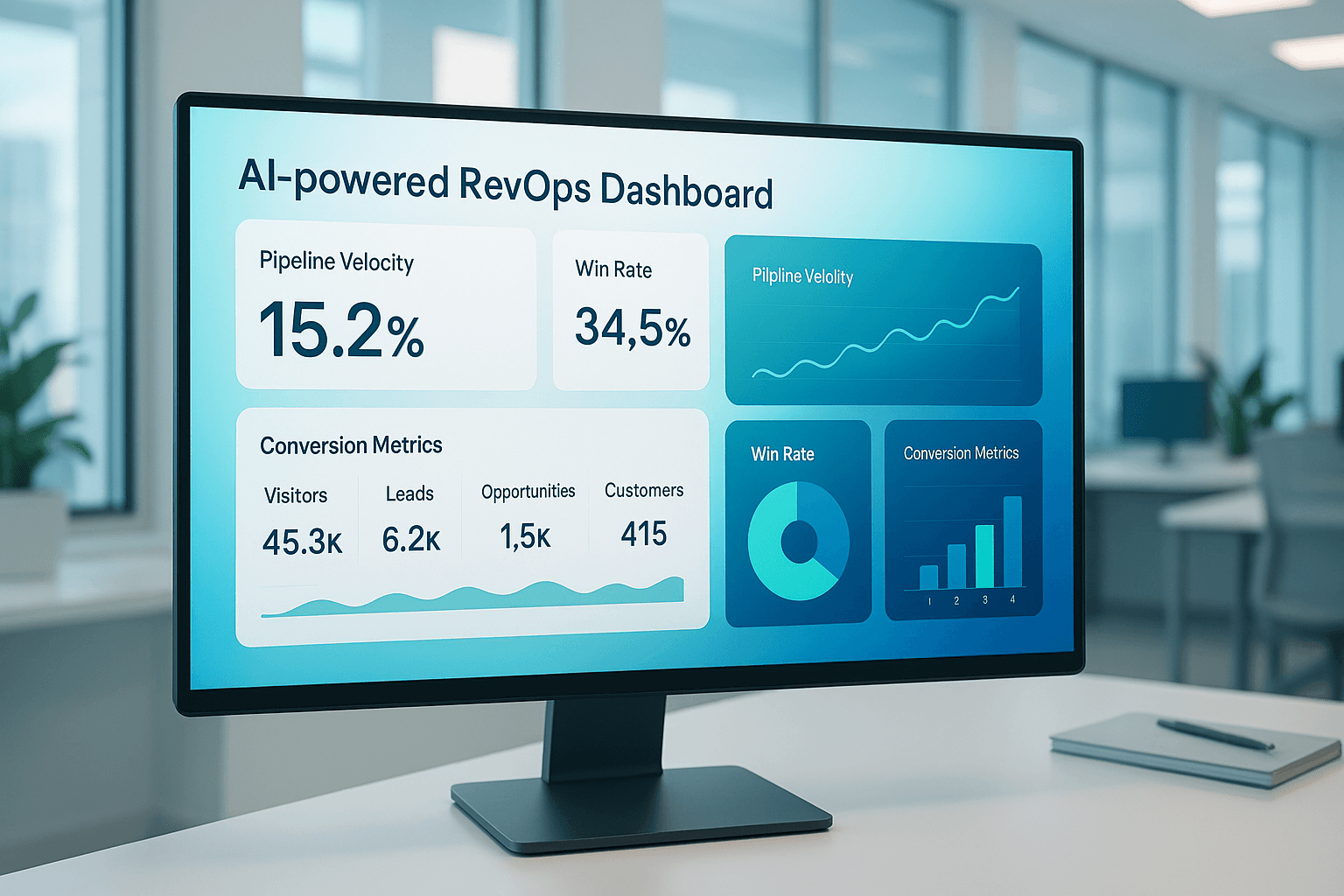
A CRM migration is one of the highest-risk operating decisions a revenue team can make. Move too fast and you lose pipeline data, break automations, and crater rep productivity for weeks. Move too slowly and you burn budget running parallel systems while the team loses trust in both platforms.
The problem is not the software. Most modern CRMs handle the same core jobs. The problem is that most migration plans treat the project as a data transfer exercise when it is actually a revenue operations redesign. Every object mapping, automation rebuild, and integration reconnection is a decision about how your revenue engine should work going forward.
This guide provides a platform-agnostic CRM migration framework built for revenue teams. Whether you are moving from Salesforce to HubSpot, HubSpot to Salesforce, or between any combination of platforms, the operating principles are the same. You will get a phase-by-phase plan covering audit, architecture, data migration, testing, cutover, and post-migration validation with specific checkpoints to protect pipeline velocity at every stage.
Why CRM Migrations Break Revenue (and How to Prevent It)
Most CRM migrations fail not because the new platform is wrong but because the migration plan ignores revenue continuity. Teams focus on field mappings and data exports while pipeline deals sit in limbo, automations stop firing, and reps revert to spreadsheets.
The three failure patterns we see most often:
- Data-first, process-second: The team exports records before defining how the revenue process should work in the new system. The result is a clean data migration into a broken operating model.
- Big-bang cutover without validation: Everything switches on a Friday afternoon. By Monday, reps discover that deal stages do not match, required fields block updates, and three integrations are silently failing.
- No revenue baseline: Nobody captures pipeline metrics, conversion rates, or automation performance before the migration. After go-live, there is no way to confirm whether the new system is performing at parity or degrading.
Preventing these failures requires treating the migration as a revenue operations project, not an IT project. Every phase should have a revenue continuity checkpoint: can deals still move through the pipeline, are automations still firing correctly, and do the numbers match what you had before?
Phase 1: Audit Your Current CRM State
Before you configure a single field in the new platform, document exactly what your current CRM does. Not what it was designed to do. What it actually does today, including the workarounds, custom fields nobody owns, and automations that fire but nobody monitors.
Object and Field Inventory
Export a complete list of every object, custom field, and picklist value in your current CRM. For each field, document:
- Usage rate: What percentage of records actually have data in this field? Fields with less than 10% population are candidates for deprecation, not migration.
- Business owner: Who depends on this field for decisions, reports, or automations? If nobody claims it, flag it for review.
- Data type and format: Text, number, date, picklist, formula, lookup. Type mismatches between platforms are the most common source of silent data corruption.
Automation and Workflow Audit
Map every automation in your current system: workflows, sequences, lead scoring rules, assignment logic, and notification triggers. For each one, capture the trigger condition, the action, and whether it is active. Most CRMs accumulate automations over years. We routinely find that 30-40% of active workflows are either redundant, conflicting, or serving a process that no longer exists.
Integration Inventory
List every system connected to your CRM: marketing automation, billing, support tickets, enrichment tools, analytics platforms, and custom API connections. For each integration, document the sync direction (one-way or bidirectional), sync frequency, and which fields flow between systems. This inventory becomes your integration rebuild checklist during migration.
Revenue Baseline Metrics
This is the step most teams skip. Before you touch anything, capture your current pipeline velocity metrics: stage-to-stage conversion rates, average deal cycle time, win rate by segment, and forecast accuracy. These become your post-migration validation benchmarks.
Checkpoint:
Do not proceed to Phase 2 until you have a complete field inventory, automation map, integration list, and revenue baseline document. This audit typically takes 5-10 business days depending on CRM complexity.
Phase 2: Design the Target Architecture
The migration is your opportunity to fix operating problems, not just replicate them on a new platform. Use the audit findings to design the revenue architecture your team actually needs.
Object Model Design
Start by mapping your revenue process to the new platform's object model. Define which standard objects you will use, which custom objects you need, and how associations between objects should work. Common decisions at this stage:
- Deal vs. opportunity structure: Should you use a single pipeline with stages or multiple pipelines by segment, product line, or motion?
- Contact-company association model: How do you handle multi-contact deals, partner-influenced pipeline, and buying committees?
- Activity and engagement tracking: Which touchpoints flow into the CRM, and which stay in dedicated tools?
Lifecycle and Pipeline Stage Mapping
Map your current pipeline stages and lifecycle definitions to the new platform. This is not a one-to-one copy. Review each stage against your actual conversion data from the audit baseline. If a stage has less than 5% of deals passing through it, question whether it adds signal or just adds friction.
Define explicit exit criteria for each stage. A deal should not move from "Discovery" to "Proposal" without documented requirements, identified decision-makers, and a confirmed timeline. These criteria become validation rules in the new system.
Automation Architecture
Do not rebuild every automation from the old system. Use the audit to identify which automations drive measurable outcomes and which are legacy noise. Design the automation layer in three tiers:
- Critical path automations: Lead routing, deal assignment, SLA notifications, and stage-based task creation. These ship at go-live.
- Operational automations: Lifecycle stage updates, data enrichment triggers, and reporting rollups. These ship within two weeks of go-live.
- Nice-to-have automations: Internal notifications, low-priority nurture sequences, and cosmetic workflows. These ship in month two or get cut.
Decision rule:
If an automation does not have a named owner and a measurable outcome, do not migrate it. The migration is a cleanup opportunity, not a replication exercise.
Phase 3: Data Migration and Validation
Data migration is where most teams feel the highest anxiety and where disciplined staging prevents the worst outcomes. Never run a single all-at-once migration. Use staged batches with validation gates between each one.
Data Cleaning Before Migration
Clean the data in the source system before exporting. Migrating dirty data into a new platform just gives you dirty data in two places. Focus on:
- Duplicate resolution: Merge duplicate contacts and companies before export. Most CRMs accumulate 15-25% duplicate records over two years of operation.
- Field standardization: Normalize picklist values, fix inconsistent formatting, and fill critical empty fields. If "Industry" has 47 unique values including typos and abbreviations, fix it now.
- Stale record archival: Archive contacts with no activity in 18+ months and deals that have been stuck in the same stage for 6+ months. These records add migration complexity without adding business value.
Staged Migration Approach
Run the migration in four batches, validating after each one:
- Batch 1 — Reference data: Users, teams, picklist values, and configuration objects. Validate that all lookup relationships will resolve correctly.
- Batch 2 — Companies and contacts: Core CRM records with all custom properties. Validate record counts, field mapping accuracy, and association integrity.
- Batch 3 — Deals and pipeline data: Active and historical opportunities with stage history, amounts, and close dates. Validate that pipeline totals match the source system within 1% tolerance.
- Batch 4 — Activities and engagements: Emails, calls, meetings, notes, and tasks. Validate that activity timelines display correctly on contact and deal records.
Validation Checkpoints
After each batch, run these validation checks before proceeding:
| Check | Method | Pass Criteria |
|---|---|---|
| Record count | Compare source export count to target import count | 100% match |
| Field mapping accuracy | Spot-check 50 random records across 10 critical fields | 98%+ accuracy |
| Association integrity | Verify contact-company and deal-contact links on sample records | 100% match |
| Pipeline totals | Compare total pipeline value by stage between source and target | Within 1% variance |
| Historical data | Verify closed-won deal amounts for last 4 quarters match | Exact match |
Phase 4: Workflow and Integration Testing
With data in the new system, test every automation and integration in a sandbox environment before production cutover. This phase catches the failures that would otherwise surface during the first week of live operation when your team can least afford disruption.
End-to-End Workflow Testing
For each critical-path automation from your Phase 2 architecture, run a complete test cycle:
- Create a test lead that matches the trigger criteria. Verify the automation fires within the expected timeframe.
- Confirm every action in the sequence executes: assignment, task creation, notification, field update, and stage transition.
- Verify that automations do not conflict. Run two test records through overlapping workflows simultaneously to check for race conditions.
Integration Reconnection
Reconnect each integration from your audit inventory. For each one, validate:
- Data sync accuracy: Push a test record through and confirm all mapped fields sync correctly in both directions.
- Error handling: Intentionally send a malformed record to confirm the integration fails gracefully rather than silently corrupting data.
- Sync latency: Measure the time between a change in the CRM and the corresponding update in the connected system. If latency exceeds your SLA, address it before cutover.
Reporting Validation
Rebuild your core reports and dashboards in the new platform. Compare output against the same reports in the old system using the same date ranges. Discrepancies here usually indicate field mapping issues, filter logic differences, or calculated field formula mismatches. Fix them now because your leadership team will notice reporting inconsistencies on day one.
Phase 5: Cutover and Go-Live
The cutover is a coordinated event, not a casual switch. Plan it with the same rigor you would apply to a product launch.
Pre-Cutover Checklist
- Freeze the source system: Set a cutoff time after which no new data enters the old CRM. Communicate this to every team 48 hours in advance.
- Run a final delta migration: Export and import any records created or modified between your last batch migration and the freeze time.
- Validate the delta: Run the same validation checks from Phase 3 on the delta batch. Pipeline totals in the new system should match the old system exactly at this point.
- Activate critical-path automations: Turn on lead routing, deal assignment, and SLA notifications. Leave non-critical automations off for the first 48 hours.
- Switch DNS and SSO: Update bookmarks, SSO app tiles, and any direct URLs that point to the old system.
Go-Live Support Model
Staff a dedicated support channel for the first five business days. Every team that touches the CRM needs a named point of contact who can resolve issues within two hours. Common first-week issues include missing required fields blocking data entry, report filters returning unexpected results, and integration sync delays causing duplicate records.
The automation and integration sprint model works well for cutover execution: a focused two-week engagement where dedicated operators handle the go-live, monitor for issues, and resolve blockers in real time.
Phase 6: Post-Migration Revenue Validation
The migration is not done at go-live. It is done when your revenue metrics in the new system match or exceed the baseline you captured in Phase 1.
30-Day Validation Framework
| Metric | Compare Against | Acceptable Variance |
|---|---|---|
| Stage-to-stage conversion rate | Pre-migration 90-day average | Within 5% |
| Average deal cycle time | Pre-migration 90-day average | Within 10% |
| Pipeline velocity | Pre-migration quarterly rate | No decline |
| Automation execution rate | Pre-migration monthly average | Within 5% |
| Rep adoption (daily active users) | Pre-migration daily average | 90%+ by day 14 |
Run this comparison weekly for the first 30 days. If any metric falls outside acceptable variance, treat it as a P1 issue with a named owner and a 48-hour resolution target. Most post-migration metric dips trace back to automation logic differences, field mapping errors, or integration sync issues that were not caught in testing.
After 30 days, shift to monthly monitoring. If metrics are at parity or better, decommission the old system. If gaps remain, extend the parallel-run period and investigate root causes before cutting the cord.
Realistic Timelines and Common Risk Patterns
Timeline by CRM Complexity
| Complexity Level | Characteristics | Typical Timeline |
|---|---|---|
| Light | Under 10,000 records, fewer than 20 custom fields, 1-3 integrations, no custom objects | 4-6 weeks |
| Moderate | 10,000-100,000 records, 20-75 custom fields, 4-10 integrations, basic custom objects | 8-12 weeks |
| Complex | 100,000+ records, 75+ custom fields, 10+ integrations, multiple custom objects, complex automation | 12-20 weeks |
These timelines assume dedicated migration resources. Teams that try to run a CRM migration as a side project alongside day-to-day operations should expect timelines to extend by 50-100%.
Top Five Risk Patterns
- Scope creep during architecture: The migration becomes a platform redesign. Mitigate by defining a "migrate as-is" baseline and tracking enhancements separately.
- Data quality surprises: The audit reveals deeper data issues than expected. Build two weeks of buffer into the timeline for data cleaning.
- Integration complexity: Third-party APIs have changed since the original integration was built. Budget 40% more time for integration work than initial estimates.
- User adoption resistance: Reps revert to old habits or workarounds. Counter with role-specific training and a 14-day adoption checkpoint with manager accountability.
- Reporting discrepancies: Leadership loses confidence when dashboards show different numbers. Prevent by running parallel reports for 30 days before decommissioning the old system.
Migration Is an Operating Decision, Not a Software Decision
The platform matters less than the operating system you build on top of it. A well-executed migration to any modern CRM will improve revenue operations if the process, data, and team alignment work is done correctly. A poorly executed migration to the best CRM on the market will break pipeline velocity, erode forecasting confidence, and cost you months of productivity.
Start with the audit. Capture your baseline. Design the architecture before configuring the system. Migrate in stages with validation gates. And measure revenue continuity for 30 days after go-live before declaring success.
OpsEthic's RevOps diagnostic audit provides the foundation for a successful CRM migration by documenting your current operating state, identifying process gaps, and designing the target architecture before you touch a single configuration screen.
Whether you are evaluating platforms, mid-migration, or recovering from a migration that went sideways, a structured RevOps approach turns the riskiest project on your roadmap into a measurable operating improvement.